
Class Routine
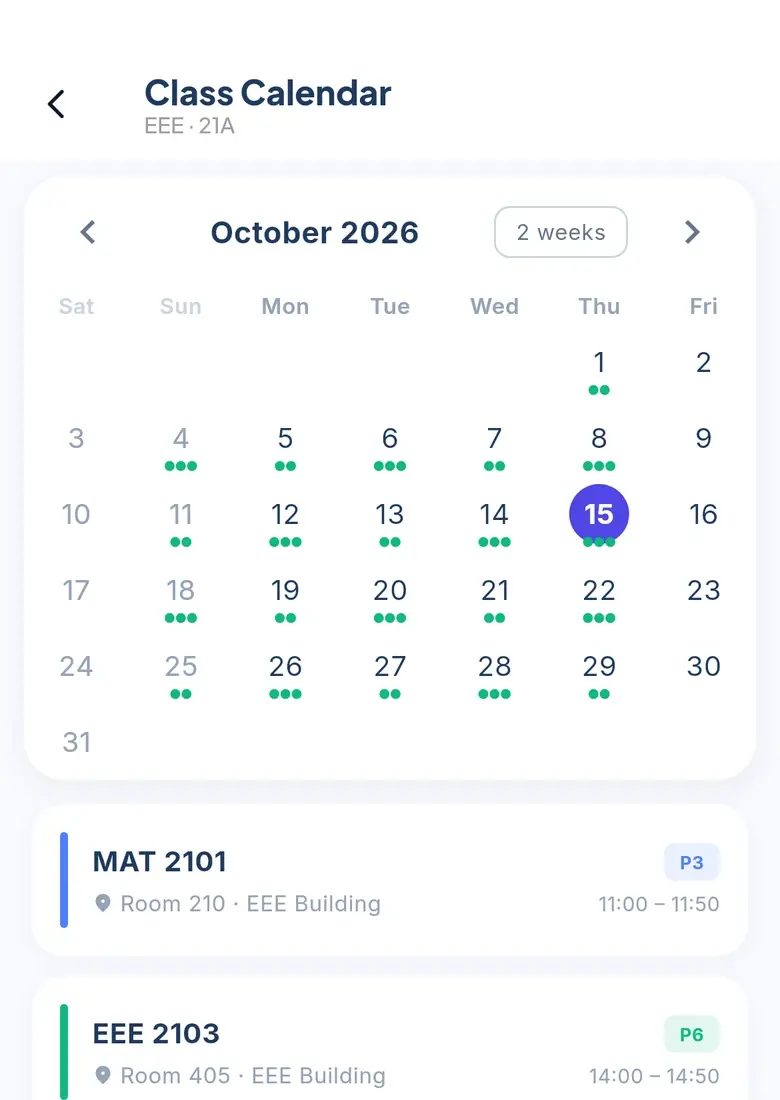
See your weekly timetable, with labs clearly marked. Your CR checks for clashes before publishing changes.
For students
Your routine, your notes, your next print. Keep the everyday things together.
 FOR STUDENTS / MY UNIVERSITY
A LOOK INSIDE
Real screens from the app, with sample data.
 ROUTINE
 NOTICES
 FILES
FILES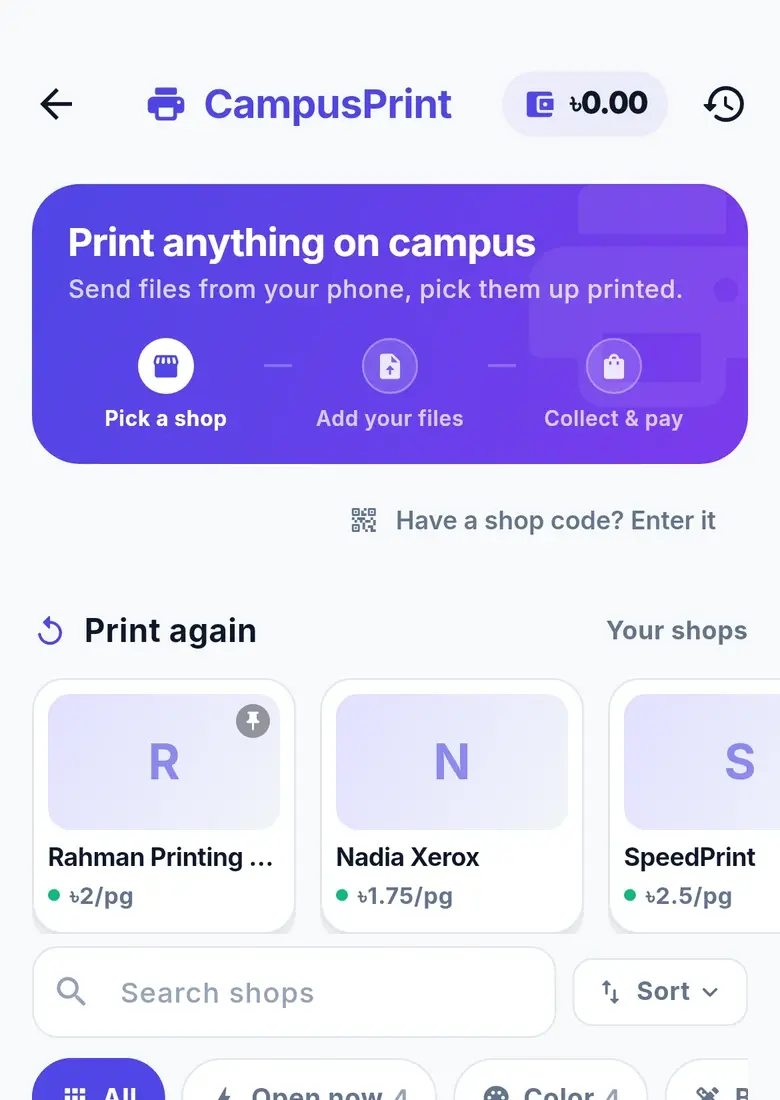 PRINT
PRINTTHE TOOLS, ONE BY ONE
Every capability has its own release status. Planned tools stay clearly marked.
See your weekly timetable, with labs clearly marked. Your CR checks for clashes before publishing changes.
Open the app and see today’s classes and labs as a simple timeline.
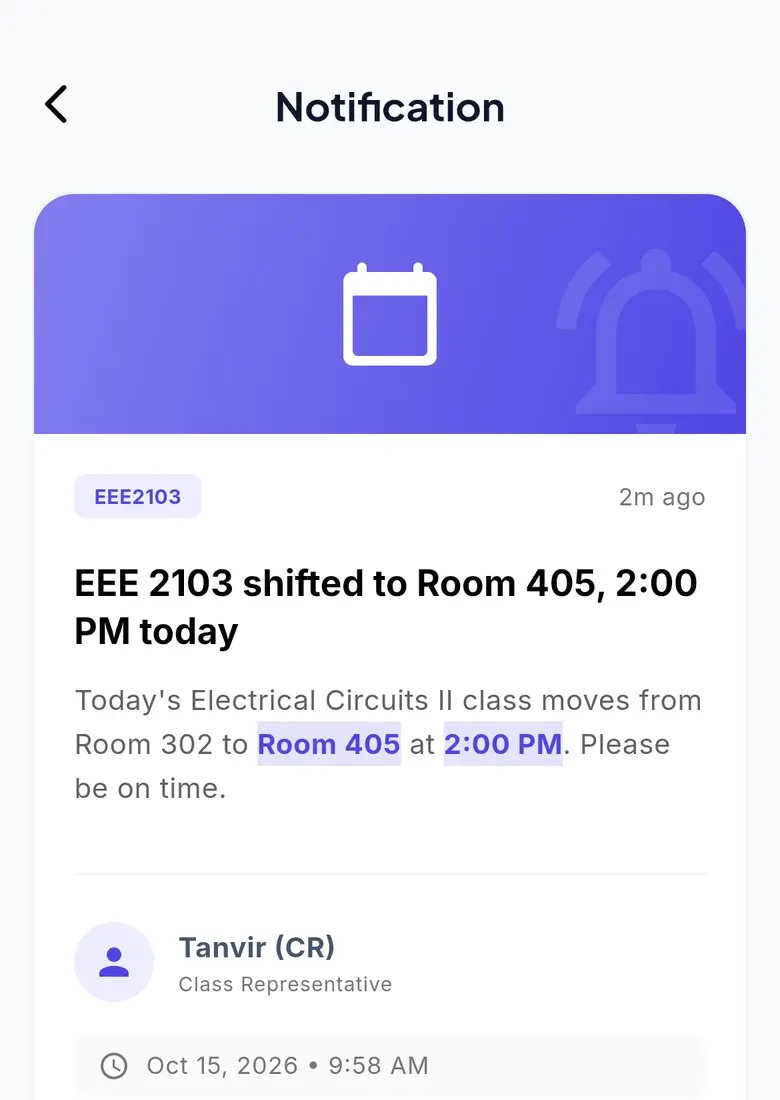
Class notices arrive as push notifications, so important changes reach your phone.
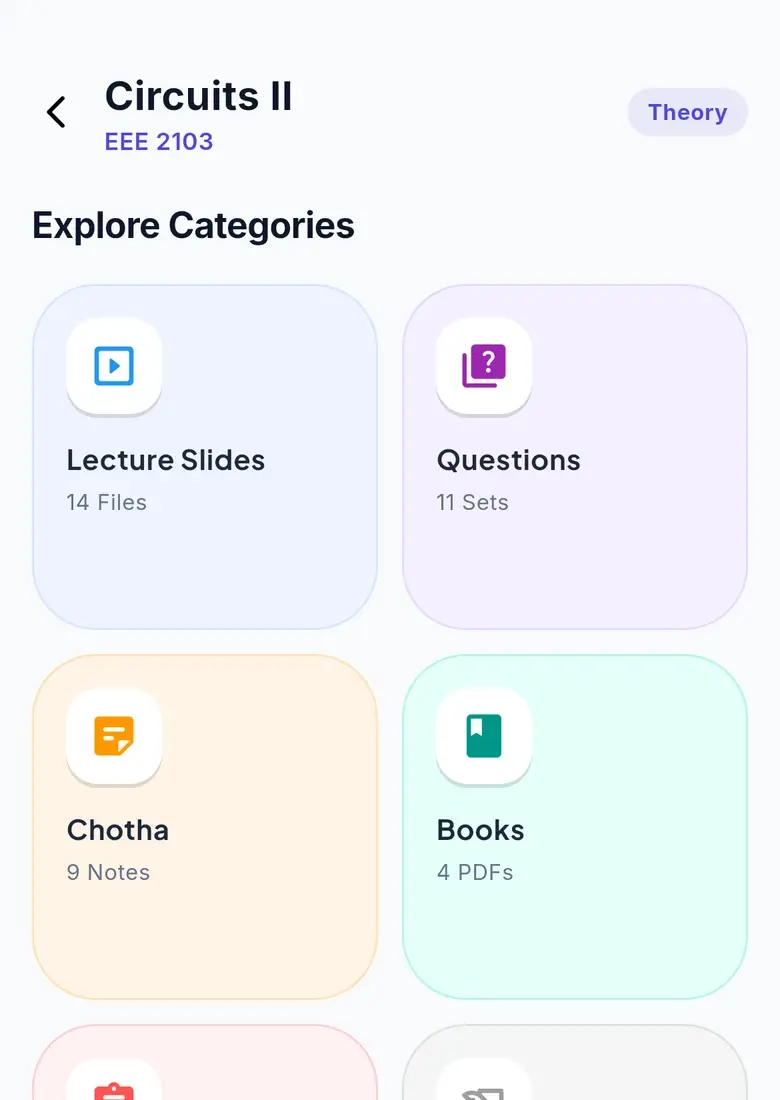
Find notes by department, semester and section. Download once and keep them offline.
Choose a shop, check its prices and paper, select pages and print options, follow the queue and get a ready notification.
An email address is confirmed before an account is created.
YOUR FIRST FEW TAPS
Let your CR know. Share the CR page so they can see the routine, notices and course-file tools.
A current, clash-checked routine and a timeline for today, the moment you open the app.
Course resources by department, semester and section. Download once and keep them offline.
Check the price, send your files and collect when the shop says they are ready.
AN ILLUSTRATIVE DAY
Open the app and see today’s classes and labs as a timeline, with labs highlighted.
Download course files once. They stay on your phone, organised by department, semester and section.
Pick a shop, check the price and paper, choose your pages and send it.
A new routine published by your CR is clash-checked, so two classes never share a slot.
My University brings your class routine, notices, course resources and campus printing together. It is an independent student project built around everyday campus life.
Install the Android app or open the student web app. Sign up and confirm your email before your account is created, then use your department and section to find your class tools.
Your email must be confirmed before your app account is created. Check your spam folder if the confirmation message is missing.
Use the web app in Safari on your iPhone. There is no native iPhone app in this release.
Your CR publishes the section's routine. Let your CR know if it is missing, and share the CR page to introduce the available routine, notice and file tools.
The charge starts when printing starts. The shop's page counts settle the bill, and the charge is kept in a tamper-evident ledger.
Keep the everyday things together. Make room for what’s next.
Android & web · iPhone? Open the web app in Safari.
 On a laptop?